
Lesson letter
Classquest duration: 45 minutes
Target audience: Ages from 8 to 12
In this class quest students meet Lux, this character is the 'Guardian of knowledge and information'. They find out that disinformation comes at you in many places and that it is wise to always be critical of the information you find. It is especially wise to respond calmly, think for yourself first, and possibly check with other sources.
Learning goals
Students learn…
- to search for the right information and to check their sources.
- to consciously think about where they get their news or information from.
- to identify digital sources where useful information can be found.
- to estimate the nature of digital information sources.
- to assess whether the information acquired is useful, reliable and representative.
- the meaning of disinformation and misinformation.
Link to DigComp*
- D1 information search, evaluation, management
- D4 safety, wellbeing, and responsible use
*DigComp (the Digital Competence Framework for Citizens) is an EU framework that describes the digital skills people need to use technology confidently, safely, and responsibly. For primary school teachers, it provides a clear reference for helping children learn basic skills such as finding information online, creating simple digital content, staying safe on the internet, and behaving respectfully in digital environments. DigComp supports a shared European understanding of what “being digitally competent” means at different ages.
Necessities
- Interactive board
- Create an account here in advance. If you want to practice a quest beforehand, click ‘practice’ at the start. This takes about half an hour.
Glossary
- Disinformation: knowingly creating and spreading false or misleading information. You know when you spread it that it is not true, but you are doing this anyway to make money or to harm a group, person or a country.
- Misinformation: misinformation refers to misleading information created without that malicious intent. The distributor doesn't know that the information is incorrect.
- Imaging: The origin of an idea: making an image of something.
- Clickbait: exaggerated or shocking information, making you curious about the website. Often the message of the site does not match the title and the content is completely or partly false.
The lesson
Introduction - 10 min
Explain to the students that you are going to talk about the huge pile of information that can be found on the Internet and that is growing every minute. Every time you are online, pieces of that information come at you. Sometimes this is in the form of a WhatsApp message, but it is also possible with a video that you watch (on YouTube, TikTok or at the Jeugdjournaal). But, how (and when) do you decide whether or not to believe something? What is a smart response to (possible) disinformation?
Introduction questions
- Have you ever heard of the concepts of fake news and disinformation?
- Where do you find this?
- When do you feel that you are dealing with disinformation?
- Do you ever check if what you read is really true? And how do you do that?
- Have you ever shared or posted something that is not true? Did you know when you started sharing it that it might just be untrue?
Core - 30 min
Indicate that you are now going to start the game as a class and discuss the rules of the game and the distribution of the students over the different groups in advance. Start the quest on the interactive whiteboard.
How do I make the lesson more interactive?
- In the quest, Sanne and André tell all kinds of things about the Internet. This is described in text. You can choose to have children read the text of a specific character (for example, child x reads the text of André and child y reads the text of Sanne).
- During the quest choices will have to be made. You may choose to use an active form of work in doing so. For example: If you think we should go right, you may stand. If you think we should go straight, you may stay in your seat. And if you think we should go left, you may sit on the floor.
- Do the class activities!
Class activities in the quest
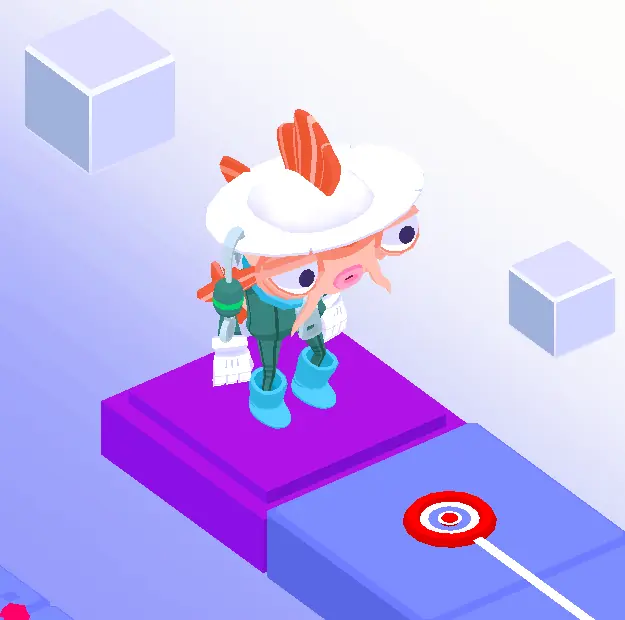
As a teacher, you can choose whether you want to do the activities (during the quest). You can of course also discuss the questions at another time!
The following questions are offered as classroom activities by Koi (see illustration):
- What is the difference between misinformation and disinformation? Answer: Disinformation is about misleading information, sometimes it is not true at all or it misleads you. Often it is messages that influence the opinions of others, but in an unfair way. Disinformation and fake news can take many forms: a news story on the internet, a video on social media, or a picture or text message in an app group. The makers have bad intentions: they want to make money, put others in a bad light or have political aims. Misinformation is the inadvertent dissemination of information that is not true or contains errors. You do not realize that you are sending something that is not correct, you then share the information without malicious intent. That's misinformation.
- What are reliable sources of information? Answer: Texts and information on the internet can be posted (and then shared) by anyone. So it is not always reliable. It may be that someone shares an opinion more than a fact. At the Jeugdjournaal, but also at good newspapers and magazines, people are working to check the information.
Closing - 10 min
Ask the students what they have learned. What will they tell others about this?
Final questions
How do you recognize disinformation?
Answer:
- By looking at the source, it is there and is it a reliable source (research for example)
- By looking at the sender. Who wrote it?
- By looking at the why. Why did he write that? For example, is it a joke?
- Is the title clickbait? Clickbait is an example of disinformation. The title is exaggerated or shocking, making you curious about the website. Often the message of the site does not match the title and the content is completely or partly false.
- Is this information also available elsewhere? Are there other sources that say this?
Wikipedia is a website where the makers can anonymously put information on it. Anonymous means that you put the information on it without your name being there. So a reader cannot find out who posted the information online. Is Wikipedia a reliable source of information? Why or not?
Answer: No, Wikipedia is not reliable since anyone can (anonymously) put information on it. For example, you cannot check for what purpose the creator has put the information on it. Sometimes other sources are mentioned, but they can also contain incorrect information.
What would you do if you accidentally shared information that was incorrect?
Suggestion: Share another post later saying you accidentally shared something that wasn't right. If people know you've done that, they can't share the information any further.
Tips
- To add a dynamic touch, consider having students take turns reading the text, making the experience even more engaging.
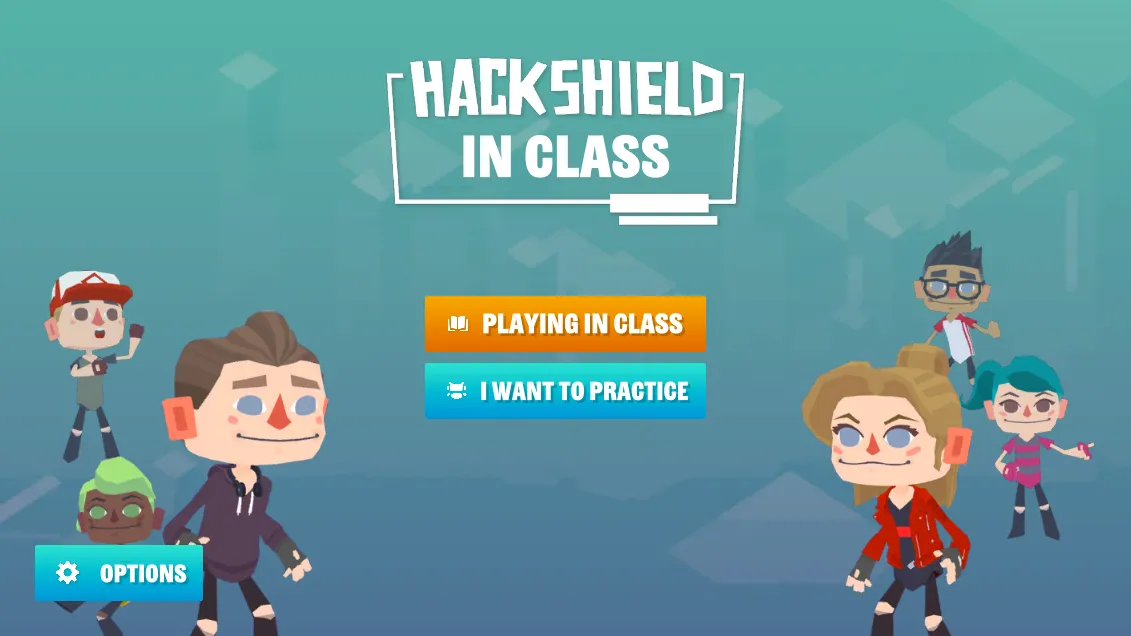
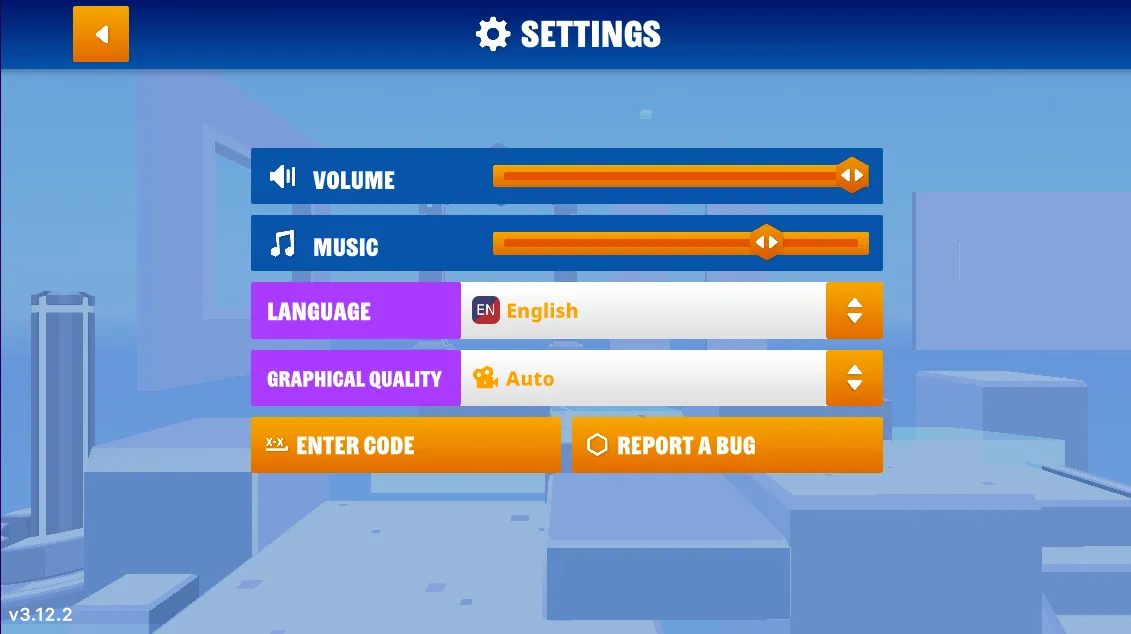
- If you prefer a silent quest, you have the option to turn off the sound. Simply navigate to the game's options menu, and you'll find the accompanying images on the right.
- Now, let's dive into the heart of our quest! Navigate to the game’s options menu where you can turn off the music.
Learn more
- Video - Topic Simple: What is Phishing?
- Video - Netspend: What is Phishing? Netspend Security Tips