
Lesson letter
Classquest duration: 45 minutes
Target audience: Ages from 8 to 12
In this class quest, students explore the world of data, discovering its online omnipresence and unforeseen consequences through André's data breach. They actively engage with various apps, learning about the importance of safeguarding personal information. Accompanying André, they uncover practical strategies for enhanced data protection, transforming the quest into a collaborative learning experience that empowers informed decisions and fortified digital security practices.
Learning goals
Students learn…
- what data is.
- which data you can share and which cannot (e.g. your date of birth, your address not).
- why data is worth money.
Link to DigComp*
- D3 content creation
- D4 safety, wellbeing, and responsible use
*DigComp (the Digital Competence Framework for Citizens) is an EU framework that describes the digital skills people need to use technology confidently, safely, and responsibly. For primary school teachers, it provides a clear reference for helping children learn basic skills such as finding information online, creating simple digital content, staying safe on the internet, and behaving respectfully in digital environments. DigComp supports a shared European understanding of what “being digitally competent” means at different ages
Necessities
- Interactive board
- Create an account here in advance. If you want to practice a quest beforehand, click ‘practice’ at the start. This takes about half an hour.
Glossary
- Data: digital information processed in computers, encompassing various aspects such as user clicks on websites and personal details like addresses and passwords.
- Filter Bubble: the consequence of personalized online experiences, where individuals encounter content tailored precisely to their internet behavior, creating a curated online environment.
- Followers: individuals who subscribe to and track the activities of another user on social media platforms.
- Likes: expressions of approval or appreciation for a profile or post on social media, contributing to engagement metrics.
- Two-step Verification: an additional layer of security for data access, requiring users to provide a secondary authentication method, such as a code or facial recognition, in addition to a password.
- Data Leak: a data leak refers to the unauthorized release, exposure, or disclosure of sensitive or confidential information. It occurs when data, typically stored electronically, is accessed or made public without the proper authorization or intention.
The lesson
Introduction - 10 min
You can tell the students:
Today, we're tackling the concept of "data." We'll play a game to understand what it really means. Data isn't just numbers; it's what you click online, your address, and even your passwords.
During the game, think about what data you're okay sharing and what you'd rather keep private. Let's explore together and learn how to manage and protect our digital information.
Introductory questions
- When was the last time you realized your data was left behind? Perhaps it was this morning while watching YouTube videos.
- Ever felt like Google or YouTube already predicts your likes? How does that manifest – in specific ads or a repetitive video lineup? (Hint: think filter bubble!)
- Has anyone accidentally found themselves on someone else's account and noticed a stark contrast in preferences? Could you immediately identify the account owner? (Think diverse YouTube recommendations!)
- Have you ever wondered what an app really knows about you? Explore settings or check data access requests. What assumptions do you think apps make about you? Let's unravel these digital mysteries together!
Optional
Ask students to choose their favorite app, whether it's Instagram, TikTok, or a gaming app. Then, invite them to visually represent on paper what they think this app knows about them. Encourage them to consider the app's perception of their profile: Does it know their friends, family, hobbies, or even their regular Tuesday evening football training location?
Highlight the comprehensive nature of data – it's not just about basic details but can extend into various aspects of their lives. Emphasize that these insights will be valuable as they embark on the quest to explore and understand the digital landscape.
Core - 30 min
Play the lesson ‘What is data’ on the digital whiteboard. Look under the heading "tips" for extra explanations about the lesson on the digital whiteboard.
Class activities in the quest
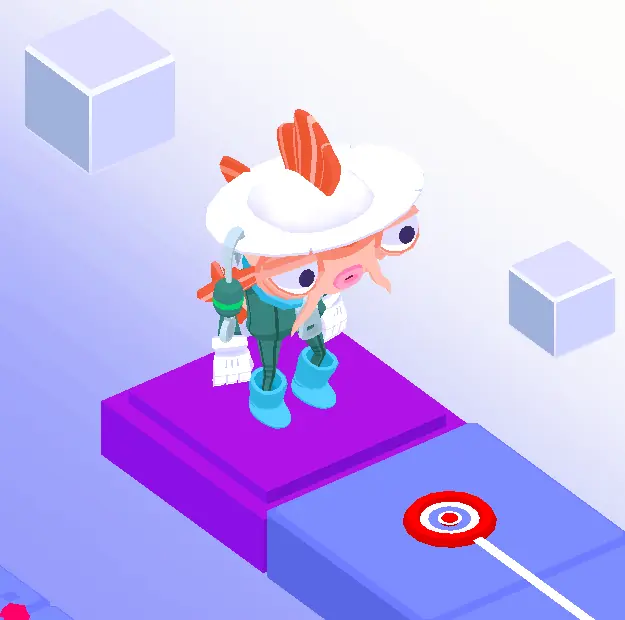
As a teacher, you can choose whether you want to do the activities (during the quest). You can of course also discuss the questions at another time!
The following questions are offered as classroom activities by Koi (see illustration):
What ways can you think of to prevent a data breach?
For example:
- Use strong passwords. Choose a password that is hard to guess, such as a mix of letters, numbers, and symbols. Make it long and unique, like a secret code you only share with your parents.
- Don’t click on strange links. If you see a link in an email or message from someone you don’t know, don’t click on it. It could be a trick to steal your data, like a fake gift.
- Don’t share too much online. Only share what is necessary online. You wouldn’t tell a stranger in the park your address or secrets, right?
- Keep your devices secure. Make sure your computer, tablet, or phone always has the latest updates. They act like a shield against hackers.
- Use secure networks. Don’t log in to open Wi-Fi without a password, like in a café. It’s like climbing a weak fence—anyone can watch!
Why do you think a company would want your data? Suggestion: To make money by selling your data to data traders or advertisers. Or to predict your preferences so that you immediately see suggestions based on what you have previously liked, viewed and searched for. Think for example on that one pair of shoes that you viewed online!
What suggestions would you see on YouTube? And what does the video app actually know about you? For example: Someone watches a lot of videos about football. They certainly won't see any makeup tutorial videos as suggestions! Or someone watches a lotgame video's and cat videos. Then there are certainly no videos with singer here-songwriters. Does anyone know what this is called, that you see a lot of the same thing? (Filter bubble)
Puzzles and Energizers
In addition to classroom activities, each classroom quest includes at least one puzzle and energizer. The puzzle and its solution can be found in Appendix 1.
The energizer in this quest is “The Disappearance Game.” In the quest, you are guided step by step through the rules of this game. But you can also read them here:
Now that we’re focused on removing things, let’s play a game. Choose a central spot. Everyone places something from their desk in this central spot. Then one student closes their eyes. Another student can remove an item from the pile. The student with their eyes closed can look again and try to identify what has changed! Repeat this several times. Did everyone get it right every time?
It’s sometimes hard to notice what data you leave behind or lose online as well. That’s why you should always pay close attention!
Closing - 10 min
Ask the students what they learned.
Main question: How can you protect your own data?
Answers:
- Delete your data from an app
- Read the general terms and conditions carefully and do not simply accept them
- Enable two-step verification
- Set a very good password!
Tips
- To add a dynamic touch, consider having students take turns reading the text, making the experience even more engaging.
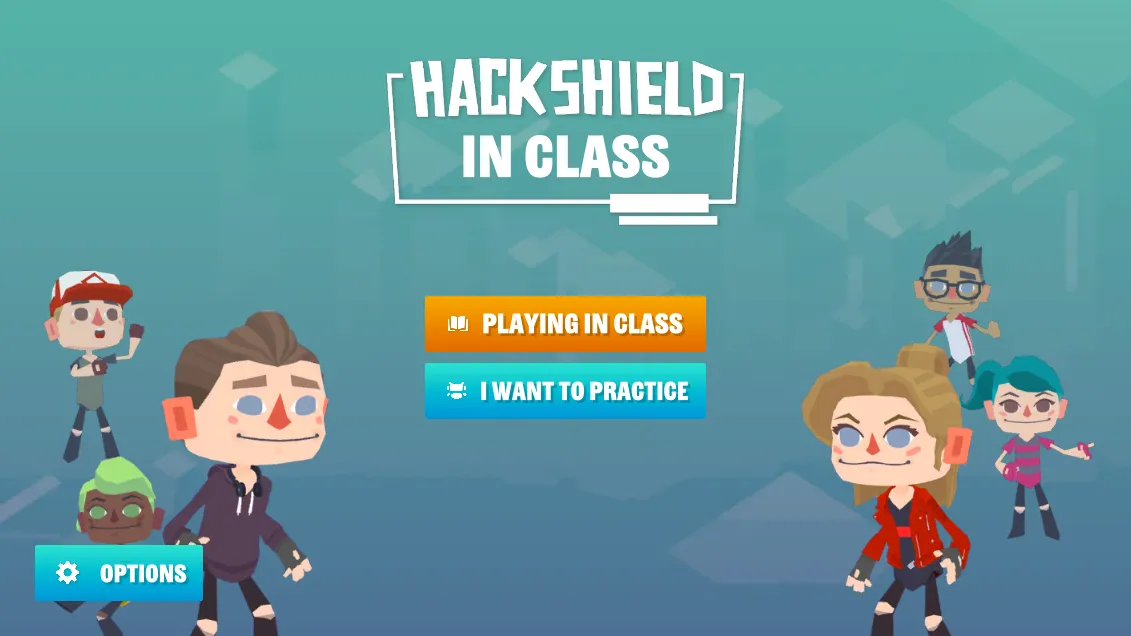
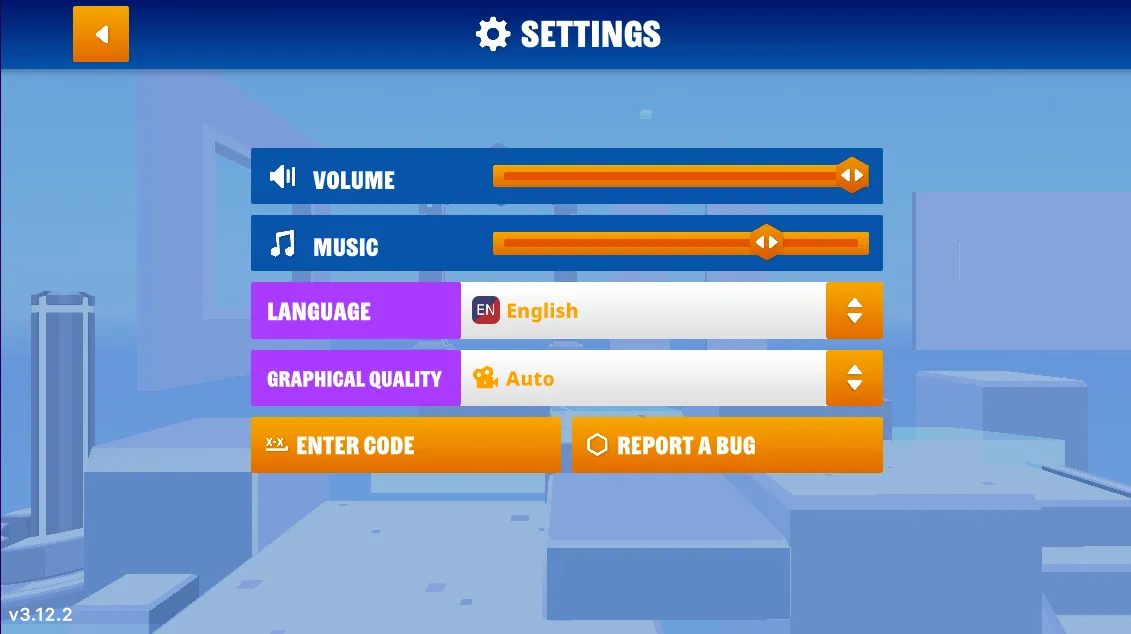
- If you prefer a silent quest, you have the option to turn off the sound. Simply navigate to the game's options menu, and you'll find the accompanying images on the right.
- Now, let's dive into the heart of our quest! Navigate to the game’s options menu where you can turn off the music.
Learn more
- Video - BBC Learning: What Is The Internet?
- Video - Peekaboo Kidz: How The Internet Works?
Appendix
Binary puzzle 1
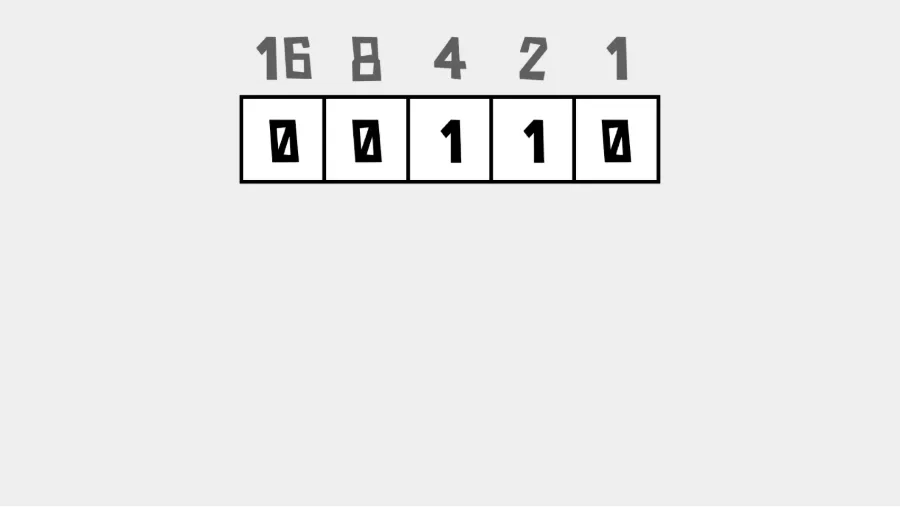
Solution: 6
Binary puzzle 2
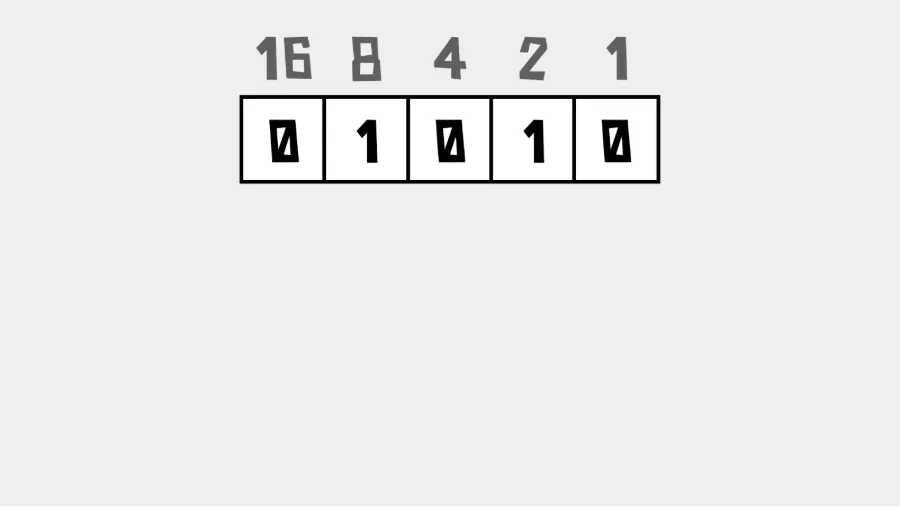
Solution: 10
Binary puzzle 3
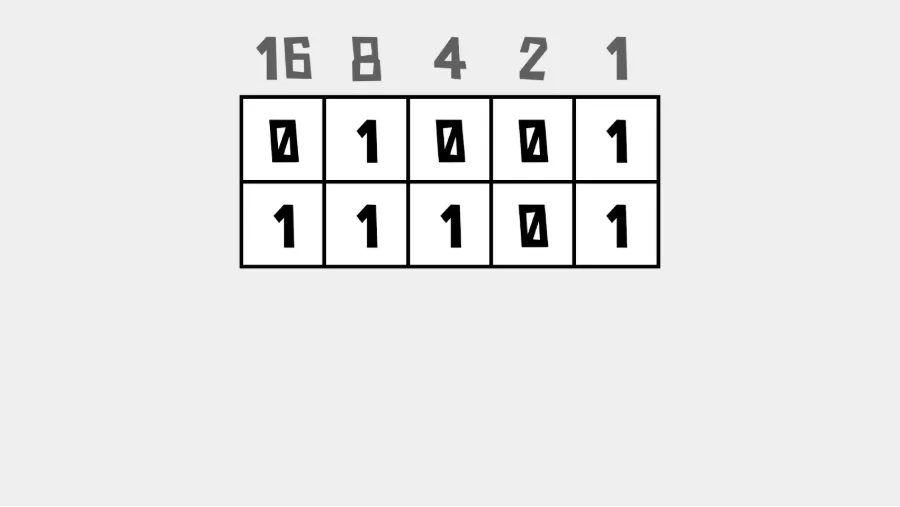
Solution: 38
Binary puzzle 4
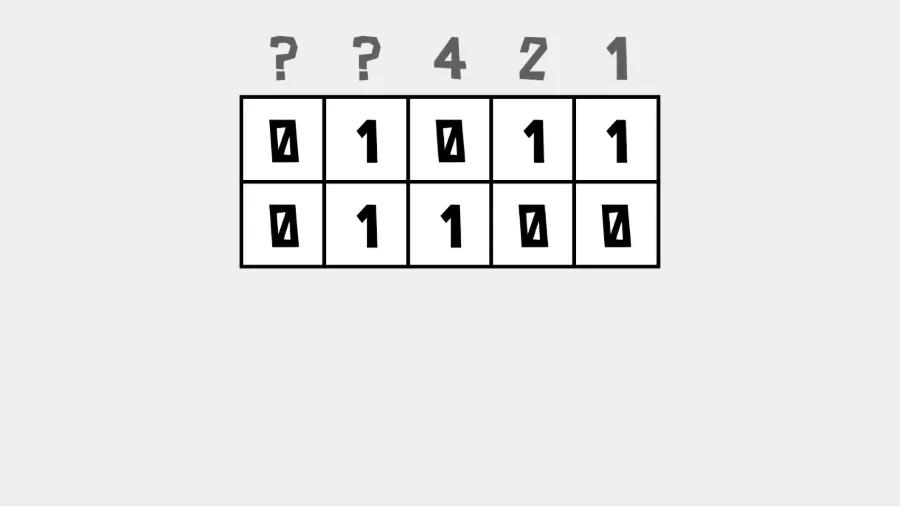
Solution: 23